Connect your own Cloudflare R2 bucket
Classets keeps your files in a bucket you own. Create the bucket, make a key that can only reach that bucket, allow uploads from the Classets site, then paste four values into Classets Settings.
Open R2 in Cloudflare
- Sign in at dash.cloudflare.com (or create a free account).
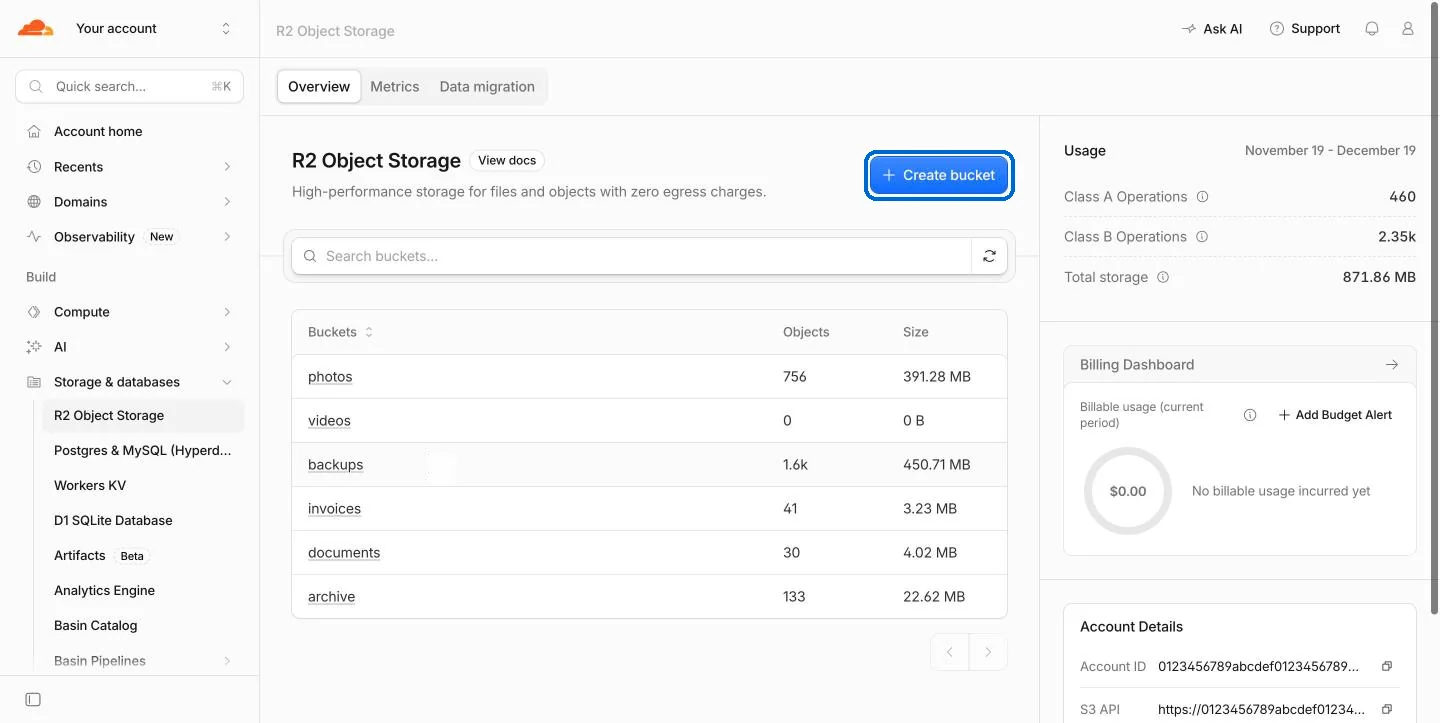
- In the sidebar, open Storage & databases → R2 Object Storage.
- The first time, Cloudflare asks you to turn R2 on and add a payment method. The free tier still applies: storage past 10 GB costs $0.015 per GB a month, and downloads are free.
Create a bucket for Classets
- Click Create bucket.
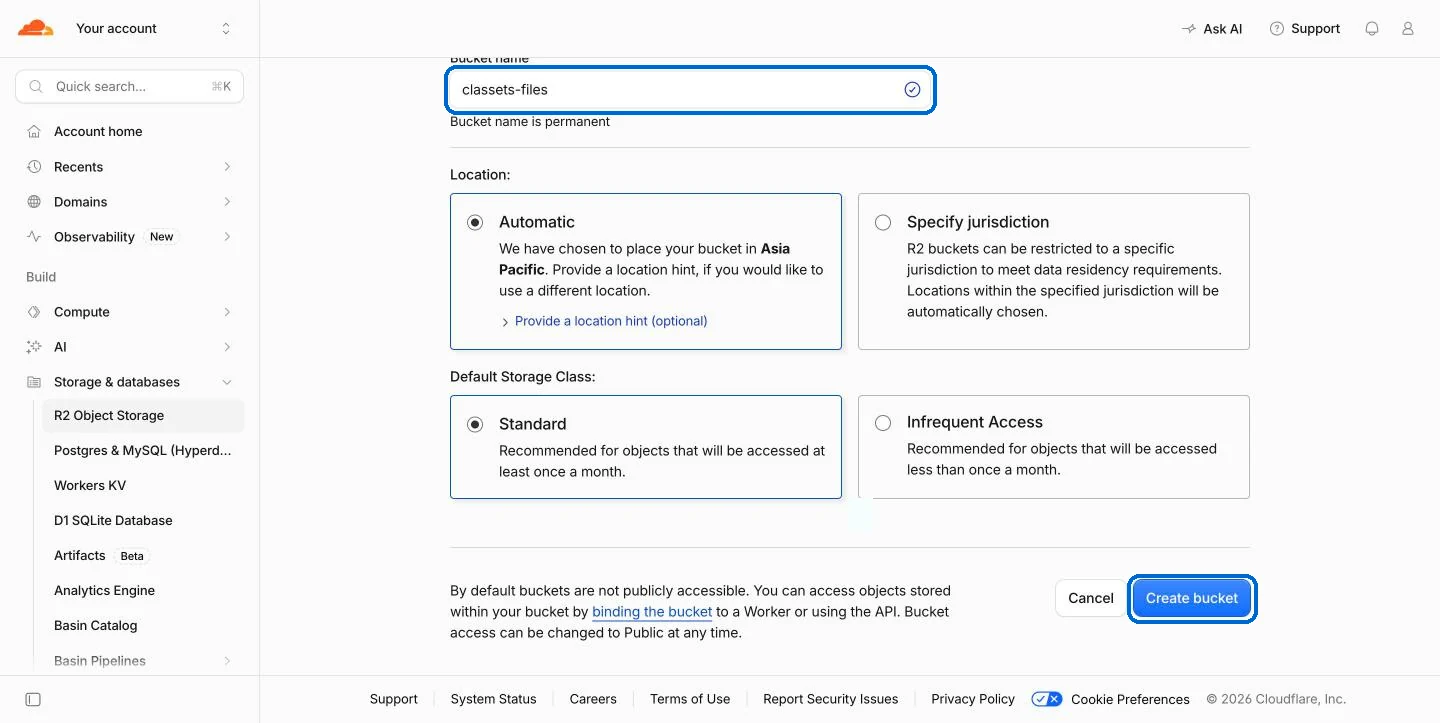
- Give it a name, for example
classets-files. Lowercase letters, numbers and hyphens; the name can't be changed later. - Leave Location: Automatic and Storage class: Standard, then click Create bucket.
Copy your Account ID
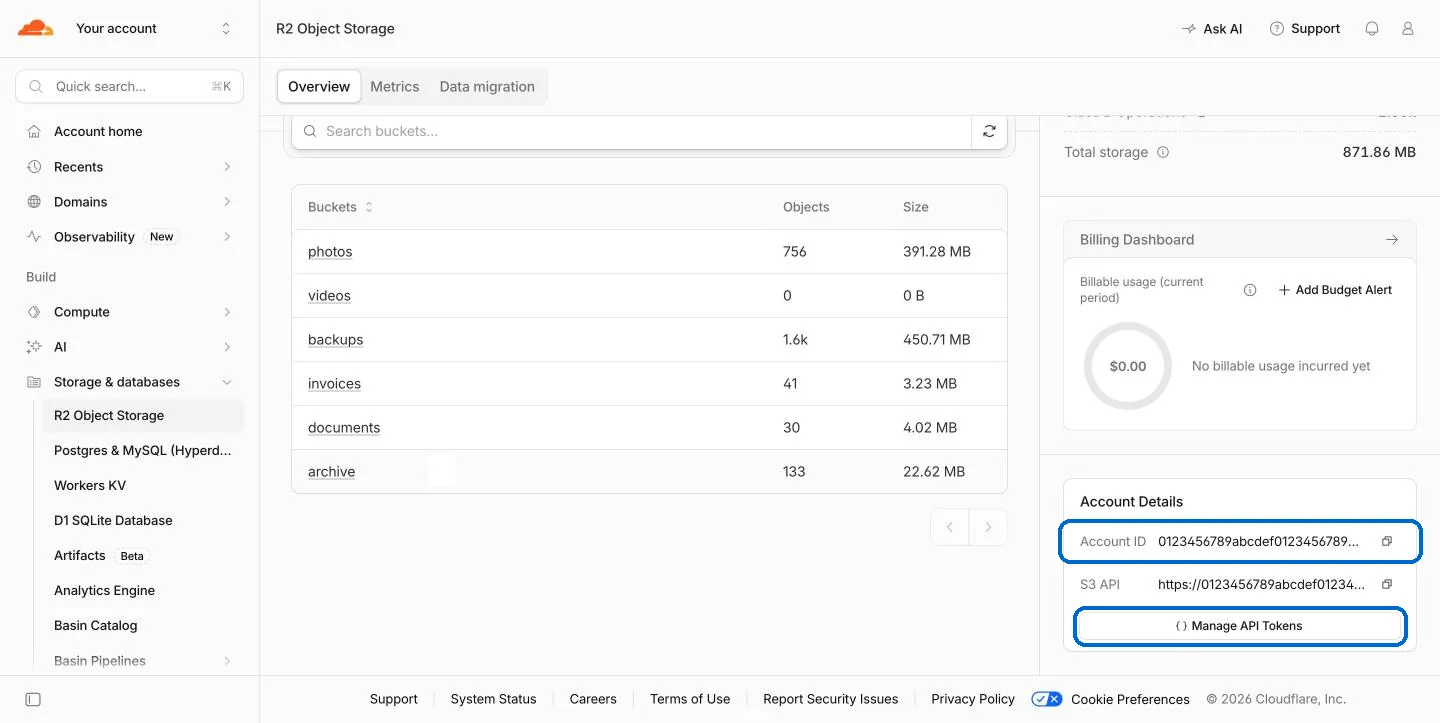
Go back to R2 Object Storage. On the right, under Account Details, copy the Account ID (32 letters and numbers). You'll paste it into Classets in step 6. While you're here, click Manage API Tokens for the next step.
Make an access key for that bucket only
An R2 API token gives Classets an Access Key ID and a Secret Access Key. Limit it to the one bucket, so the key can't touch anything else in your account.
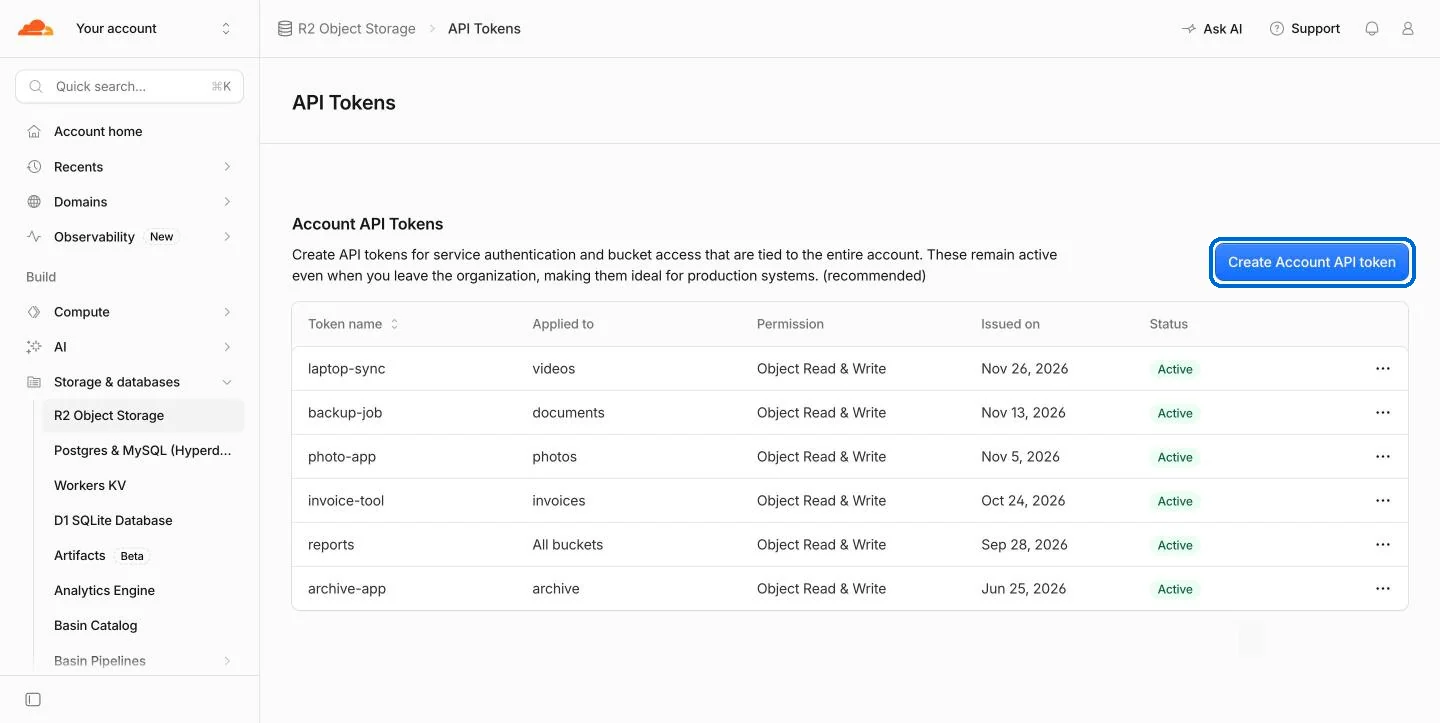
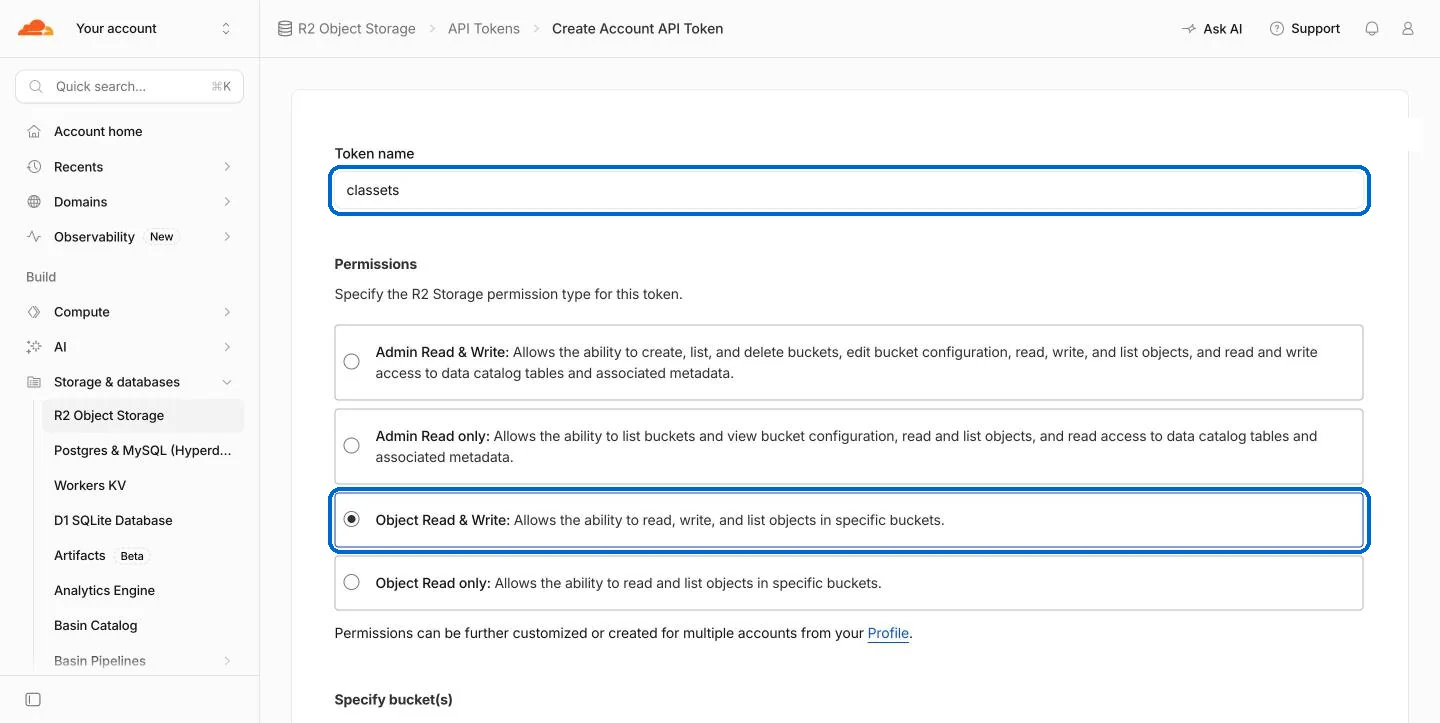
- On API Tokens, click Create Account API token.
- Name the token, for example
classets. - Under Permissions, choose Object Read & Write. Classets needs to read, write and list files, and nothing more.
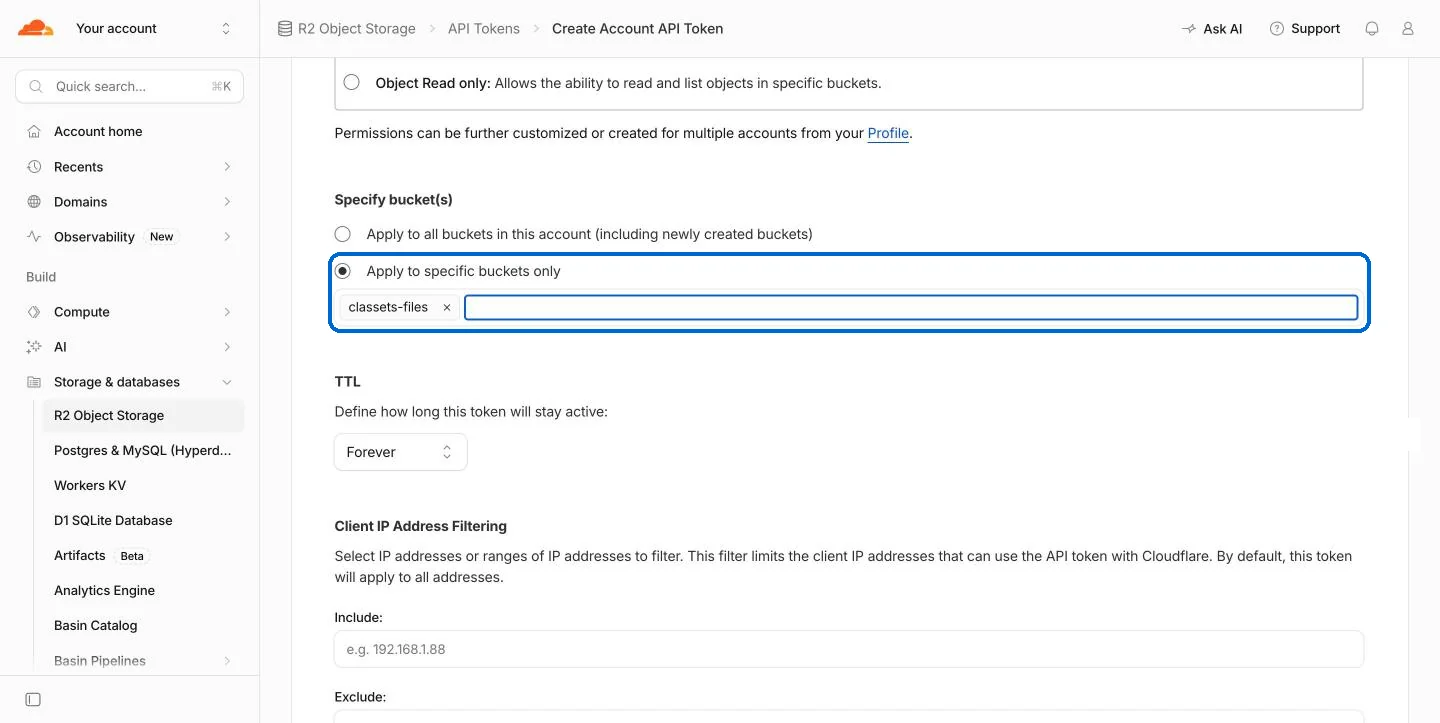
- Under Specify bucket(s), choose Apply to specific buckets only and pick your Classets bucket.
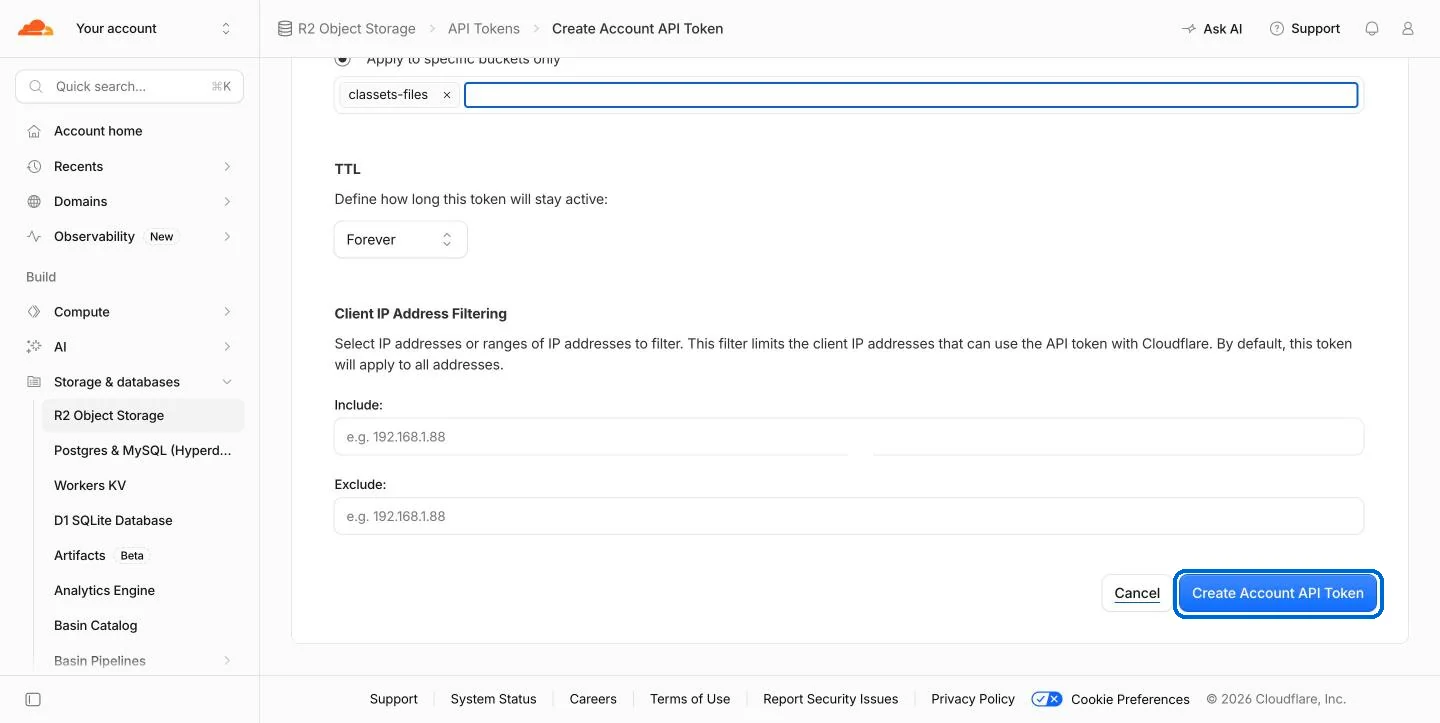
- Leave TTL: Forever (or pick an end date if you want to rotate keys), then click Create Account API Token.
The next screen shows the secret only once. Copy these two values somewhere safe before you leave the page:
Lost the secret? Create a new token and delete the old one. Nothing else changes.
Allow uploads from the Classets site
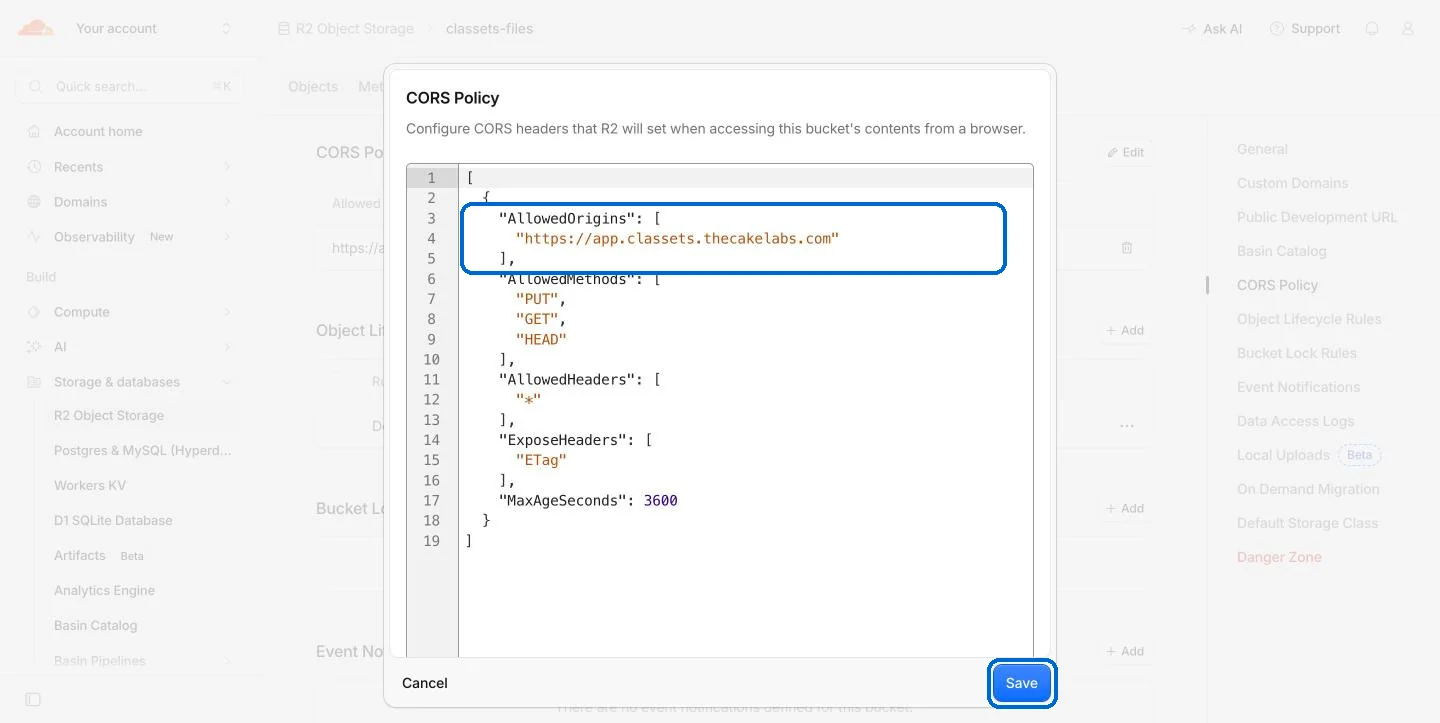
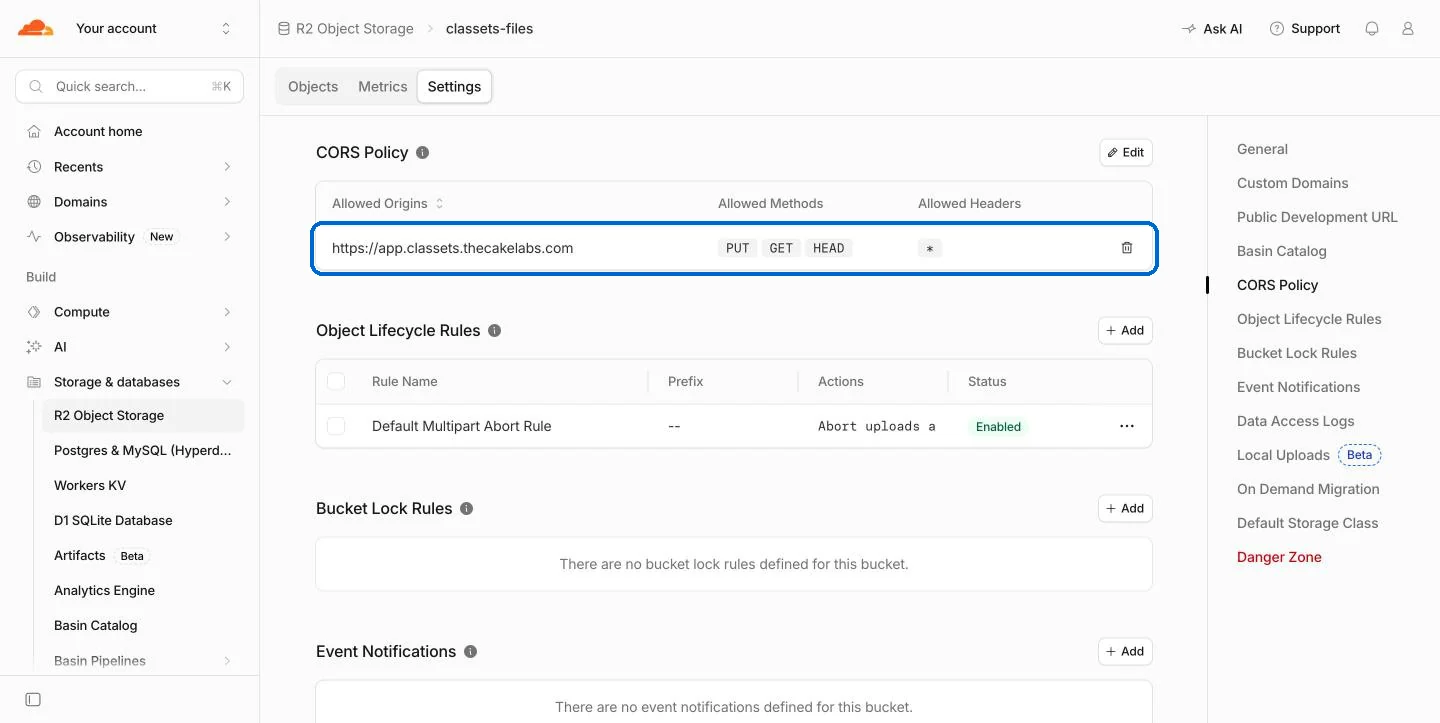
When you upload in the browser, the file goes straight from your browser to R2. R2 has to be told that the Classets site may do that, using a CORS rule. The desktop and phone apps don't need it, but add it anyway so web uploads work.
- Open your bucket, then the Settings tab.
- Find CORS Policy and click Add (or Edit).
- Replace the contents with the rule below and click Save.
[
  {
    "AllowedOrigins": ["https://app.classets.thecakelabs.com"],
    "AllowedMethods": ["PUT", "GET", "HEAD"],
    "AllowedHeaders": ["*"],
    "ExposeHeaders": ["ETag"],
    "MaxAgeSeconds": 3600
  }
]
Running your own Classets server? Put its address in AllowedOrigins instead, exactly as it appears in the address bar: with https:// and no slash at the end.
Connect the bucket in Classets
- In Classets, open Settings. Only the workspace owner sees the storage fields.
- Under Storage, paste the Account ID, the bucket name, the Access key ID and the Secret access key.
- Click Save storage, then Test connection. Classets writes, reads and deletes a small test file, and tells you if it worked.
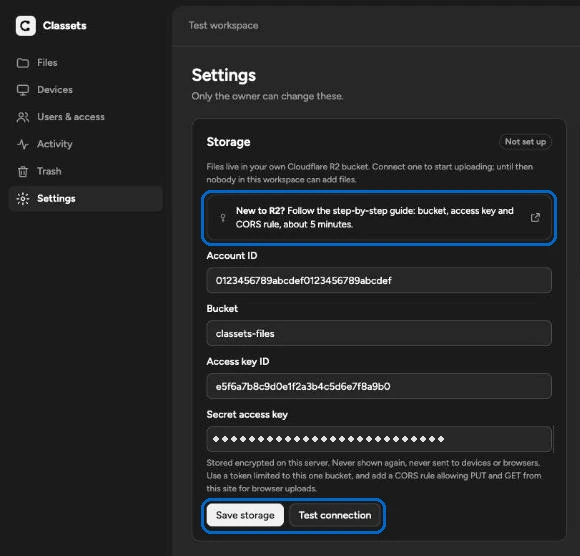
The secret is stored encrypted on the Classets server and is never shown again, never logged, and never sent to your devices or browser. Each upload or download gets its own link to one file that expires after a few minutes. To cut Classets off at any time, delete the token in Cloudflare.
That's it. Upload away.
Files you add on the web or from a paired device now land in your bucket, stored by their SHA-256 so names and folders never show in R2.
Troubleshooting
Test connection says access is denied
The token can't reach the bucket. Check that the bucket name in Classets matches exactly, that the token was scoped to that bucket, and that its permission is Object Read & Write, not Read only.
Test connection works, but uploads in the browser fail
That's almost always the CORS rule. The origin must match the Classets address exactly: https://, no trailing slash, no path. PUT must be in AllowedMethods. Changes can take a minute to apply.
I copied the token value instead of the keys
Classets needs the Access Key ID and Secret Access Key (S3-style keys), not the single token value. The secret is only shown once, so create a new token and delete the old one.
Can I use a bucket that already has files?
Yes, Classets only reads and writes its own objects (named by hash, under f/). A dedicated bucket is still simpler to reason about and to clean up later.
What will this cost?
Classets itself is free. R2's free tier covers the first 10 GB of storage each month; after that it's $0.015 per GB a month, and downloading your own files costs nothing. 100 GB comes to about $1.35 a month. Check Cloudflare's R2 pricing page for current rates.